




HOW TO IMPORT SNOWMOBILE MAP TO AVENZA
-
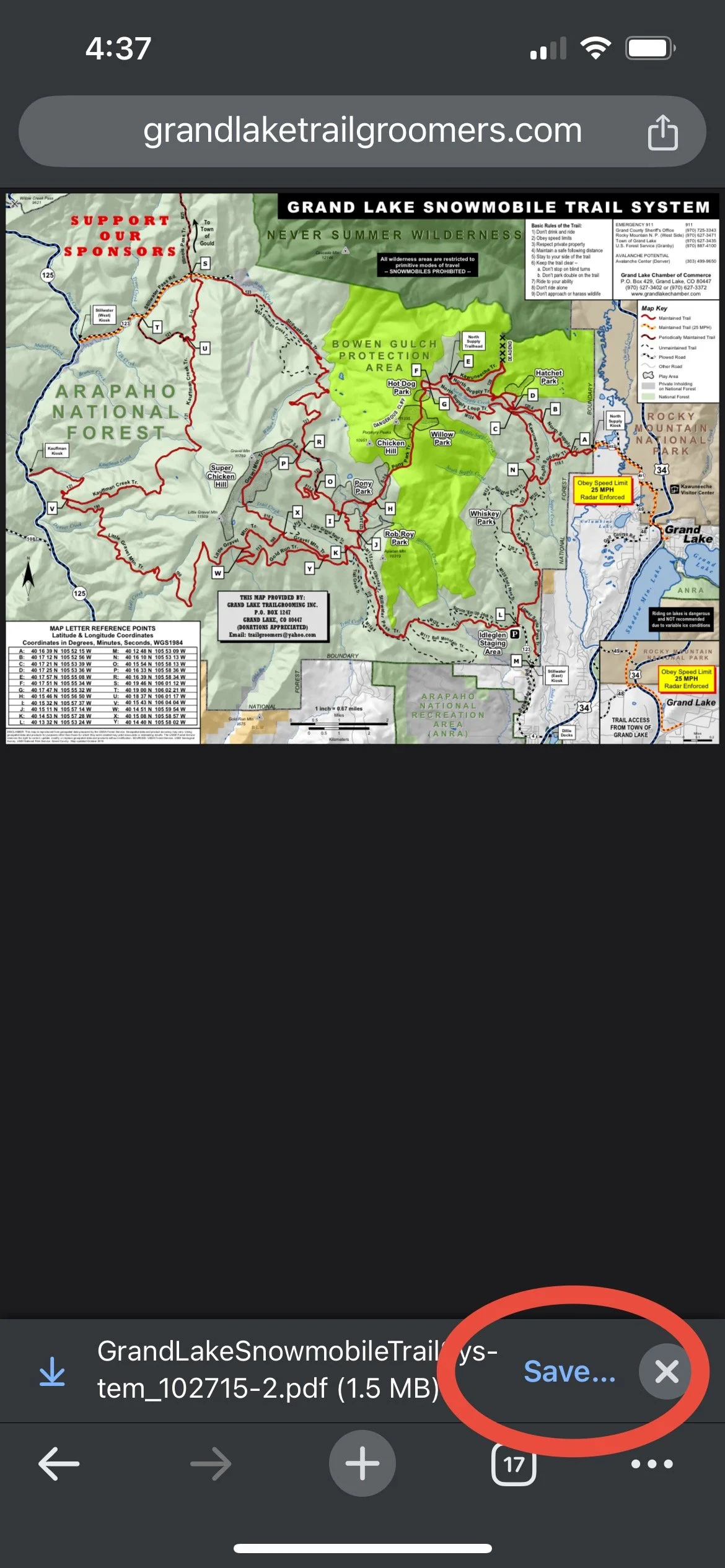
1. Download Map
Download snowmobile map to your mobile device and save to your device’s files.
-
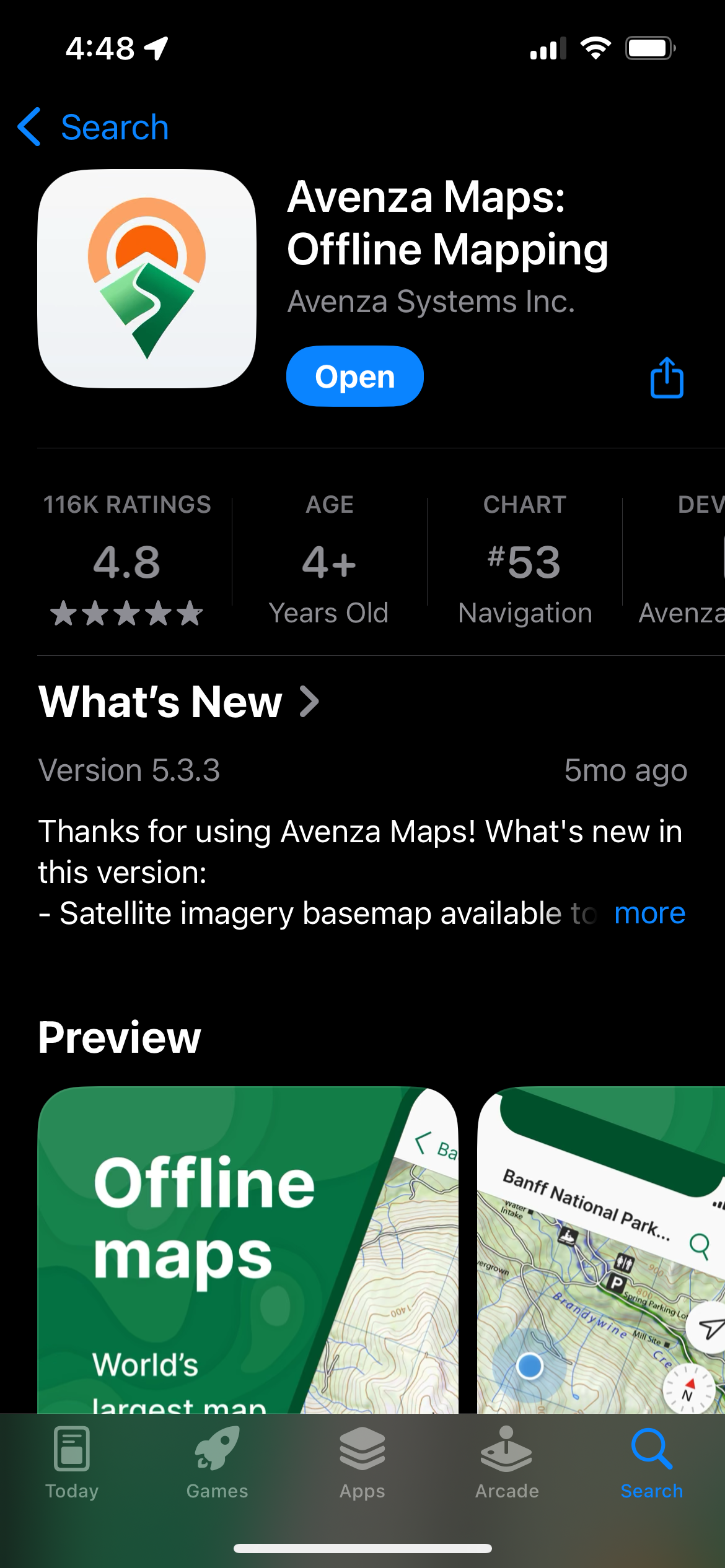
2. Download Avenza
On your mobile device, install the Avenza Maps app via the Apple App Store or Android App Store.
-
3. Add Map
Open the Avenza app and from the “My Maps” tab, click the plus sign in the top right to add maps.

-
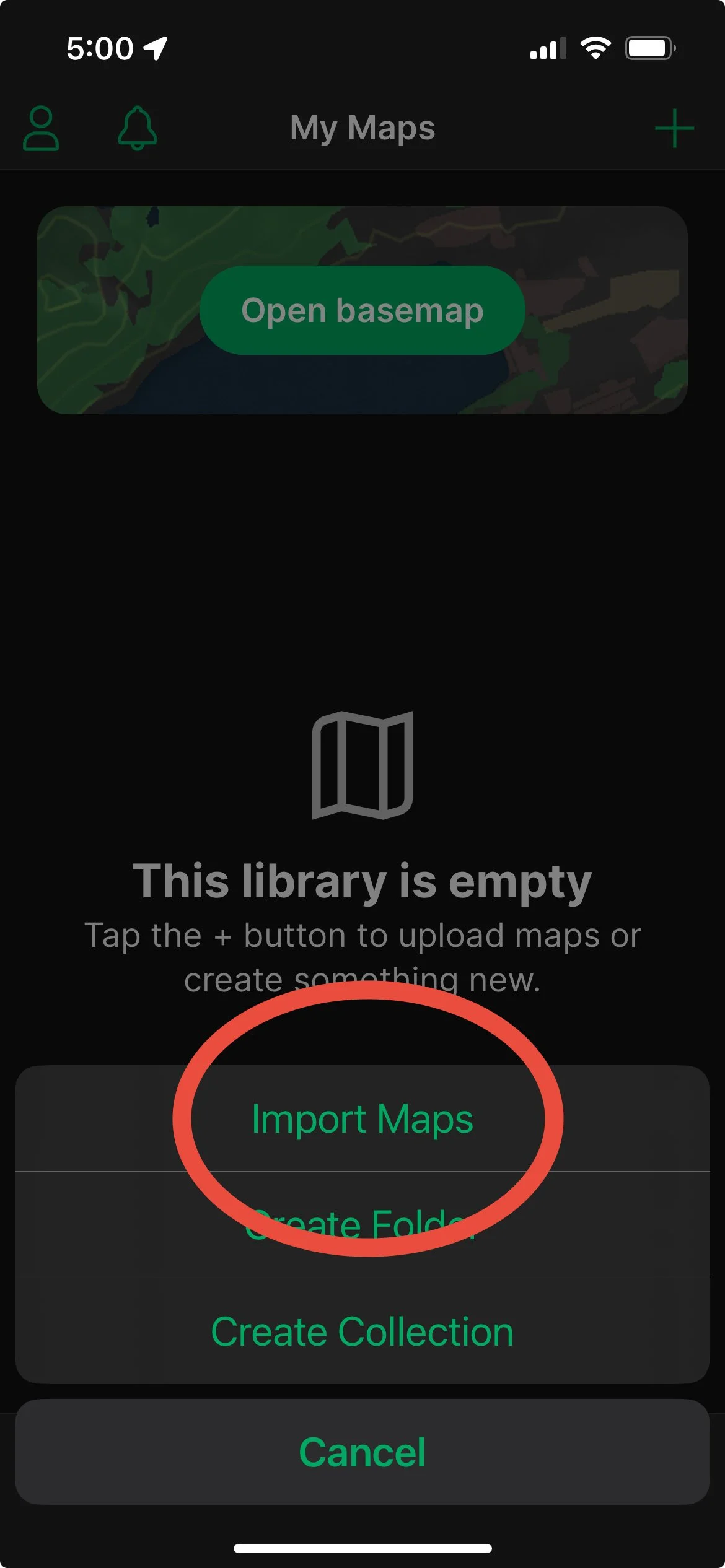
4. Import Map
Select import maps from the footer menu.
-
5. Select File Location
If you saved the map directly to the files on your mobile device, click “From Storage Locations”

-
6. Select Snowmobile Map
From your file folder, find the GrandLakeSnowmobileTrailSystemMap you just saved to your device.

-
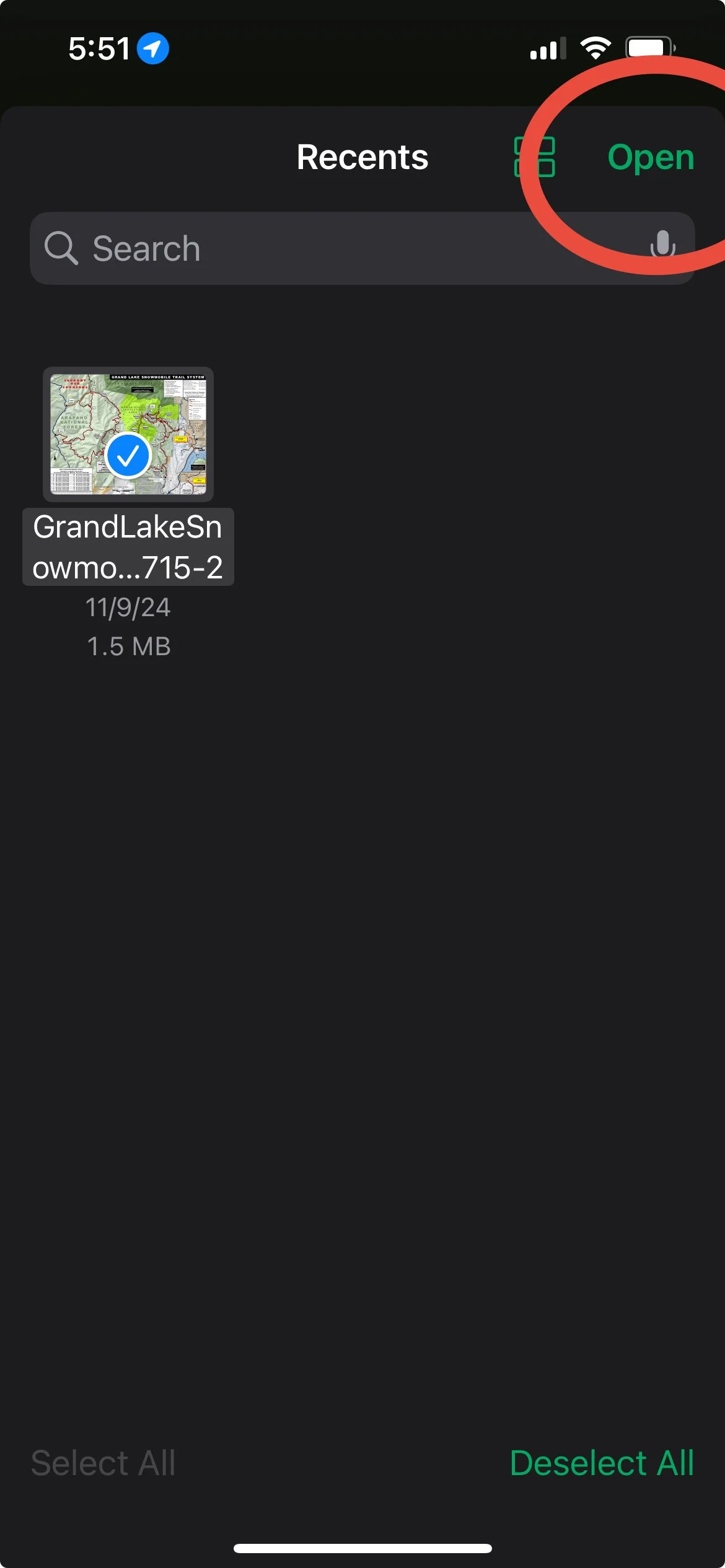
7. Select Map and Open
Once your map has been successfully added to your Avenza app, Select it from the “My Maps” tab on the bottom, then click “Open”.
-
8. Open Map in App
Open your now imported map. You may now use your map to show your location within the riding areas with a blue dot.
